

The BEU 3rd Sem Result has been released today, and now students can finally check their marks without waiting anymore. From the morning itself, the result link started appearing on the portal, and after that most students were able to open it easily. Along with this, BEU has also made the result section smoother so everyone can download their marks without any issue.
Result link : click here
Where You Will See the Result
You just need to visit the official BEU websites.
These links are active right now:
- beu-bih.ac.in
- results.beup.ac.in
As soon as you open the site, you will see the “Result” option. Inside that, the BEU 3rd Sem Result link is clearly visible. Just tap on it and move ahead.
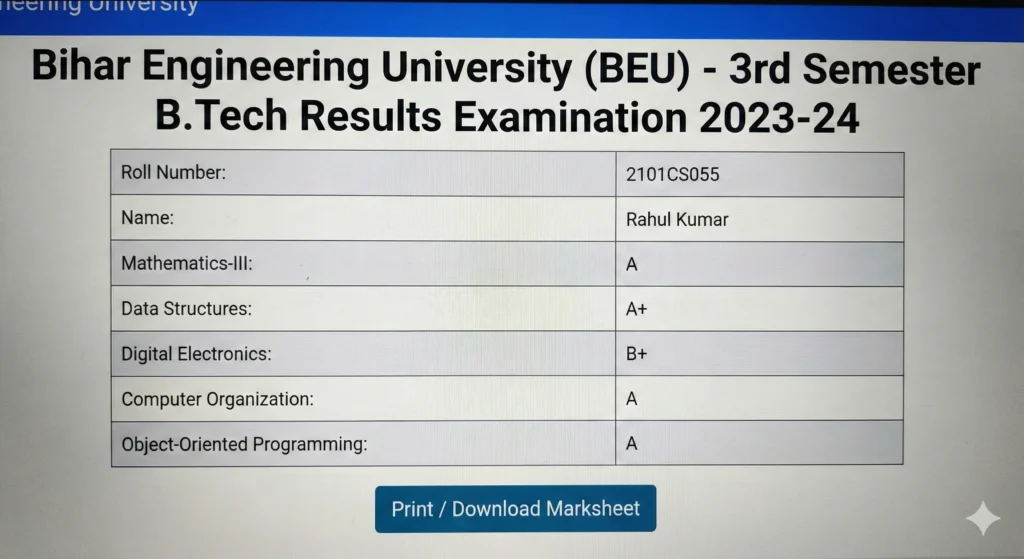
How to Check Your Marks
Checking the result is very simple for now.
Just follow these steps one by one:
- Go to the official BEU result portal
- Click on the Result section
- Select the BEU 3rd Sem Result link
- Enter your Roll Number or Registration Number
- Press submit and wait for a moment
Your marks will appear on the screen and you can download the PDF as well.
If the Website Feels Slow Today
Because the result has come today, the website may feel a bit slow if you check BEU 3rd Sem Result . Sometimes so many students open the site together, and it becomes busy. If you see any error, don’t worry at all.
Try again after some time and the page will open normally.
What You Should Do After Seeing Your Result
Once your marks appear, save the PDF or take a screenshot. If any subject shows low marks, check the rechecking option later. If you have a backlog, then wait for the supplementary notice.
Along with this, start preparing for the next semester from now.
One Important Thing
The result shown online is only a provisional mark sheet. Your final and printed mark sheet will come from your college. So keep your downloaded result safe till then.
Also visit
Intelligence Bureau IB ACIO Grade II Tech Recruitment 2025 : Apply Before Last Date
CHECK RESULT :Click here